Ask anyone under 40 when they last used their actual TV remote, and you’ll probably get a shrug. If the TV turns on with the power button and the rest can happen through the phone, that remote ends up in a drawer—or lost entirely. iPhones have quietly taken over how we play music, browse videos, and share content with others. And now, they’re taking control of the TV, too.
Not with infrared. Not with clunky universal remotes. We’re talking full-screen casting, real-time mirroring, and one-tap access to your media—wirelessly.
It’s not about adding another app to your phone. It’s about replacing three or four remotes, dodging input menus, and letting your iPhone do what it’s already good at: managing content.
Why the TV Remote Is Becoming Irrelevant
The TV remote was designed in a different era—before streaming, before AirPlay, before phones were in our hands 24/7. Now it’s often the slowest, least reliable part of the entertainment setup. Navigating a Smart TV’s on-screen keyboard to search for a YouTube video feels like texting on a flip phone.
Meanwhile, your iPhone already has the content. Your playlists, saved videos, favorite apps—they’re all there. Instead of hunting through five HDMI sources or toggling through menu trees, it makes more sense to send the media directly to the screen.
And that’s exactly what people are doing.
What’s the Difference Between Casting, Streaming, and Mirroring?
Let’s clear something up. There’s more than one way to get your iPhone content on a TV. The three main methods are casting, streaming, and screen mirroring. They sound similar but serve different purposes.
- Casting sends a specific file—like a photo or video—to the TV, where it plays independently. Your iPhone becomes the remote.
- Streaming involves online content (e.g. YouTube, Spotify), controlled from your phone but often played directly on the device once launched.
- Screen mirroring shows exactly what’s on your iPhone in real-time. That includes photos, videos, apps, presentations, or even a mobile game.
Mirroring is the most flexible option. If it’s on your screen, it’s on your TV. And unlike casting, it doesn’t matter if the app supports native streaming. You’re not limited to specific platforms.
What the Ideal Experience Should Feel Like
A good mirroring or casting setup is invisible. Open the app, see your TV, tap once, and you're connected. That’s it.
There’s no need to pair with a code, scroll through obscure settings, or restart your Wi-Fi router. No delay. No setup tutorials. Just fast, smooth content from phone to TV.
And here’s where it gets better: you don’t need extra hardware. No Apple TV box. No HDMI adapter dangling from your phone. Just your iPhone, a shared Wi-Fi connection, and a Smart TV or streaming device.
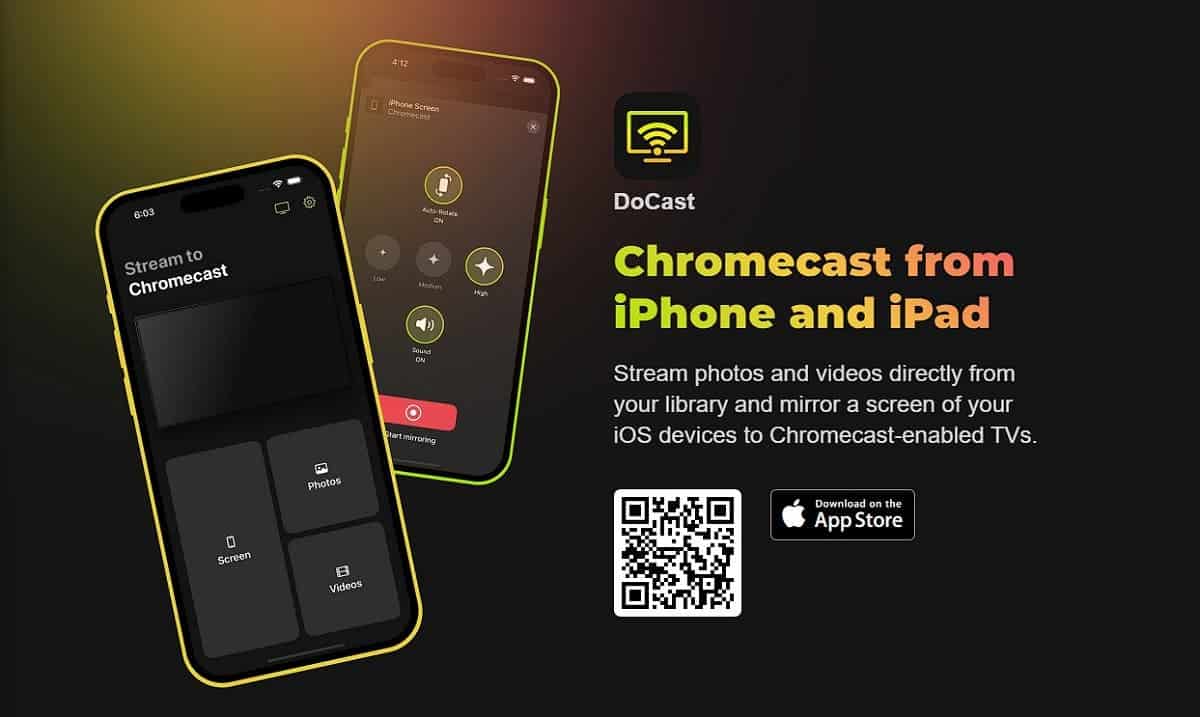
If you're looking to Stream iPhone media to TV in high quality with minimal setup, there are apps that do exactly that. They detect your TV automatically and let you choose between mirroring your screen or casting specific files like music, photos, or videos—all in a clean interface.
The result? Your phone becomes your personal remote and media player, and your TV simply becomes the screen.
No Delay Means It’s Actually Watchable
One of the main reasons screen mirroring used to be frustrating was lag. Tap something on your phone and wait two seconds for the TV to catch up? That’s fine for slideshows. Not okay for video, live apps, or anything interactive.
Today’s mirroring tools—if they’re built well—can deliver near real-time performance. That means you can watch a saved video, present a pitch, scroll through images, or even show a walkthrough of a mobile app on your TV without waiting or glitching.
That’s a game changer. Especially when you want to show something now, not 60 seconds after buffering.
When the Phone Is All You Need
The moment your iPhone can mirror a presentation, play music to the living room sound system, show photos from a trip, and stream saved videos to the biggest screen in the house, something shifts. You stop reaching for extra remotes. You stop switching HDMI inputs. You just… use your phone.
This is especially helpful in casual group settings—family visiting, friends over, impromptu slideshow, background music during dinner. No one’s fumbling with the TV settings. You just open an app and press play.
And once people experience that, they rarely go back to the old way of doing things.
Final Thoughts: The Remote Is Dead—The Phone Took Its Job
You already carry the most powerful controller in your pocket. With the right app, your iPhone becomes the bridge between your media and the screen you want to use. No wires, no remotes, no complicated menus.
Whether you're sharing a photo album with relatives, playing a video for a group, or just pushing your playlist to better speakers, using your iPhone is simpler, faster, and more natural than using a traditional remote.
TVs are getting smarter. But your iPhone? It’s already there. And now, it’s calling the shots.

Totally agree—remotes are becoming relics. With the right apps, your iPhone can mirror, cast, or stream anything straight to the TV without extra hardware or lag. It makes sharing videos, photos, or music with friends way easier. If anyone’s wondering how to set it up or troubleshoot, knowing how to contact YouTube TV https://youtube-tv.pissedconsumer.com/customer-service.html support can save a lot of headaches. Honestly, once you try it, you rarely touch the old remote again.
Join now or log in to leave a comment